Visual Header Tooltip
The '"visualheaderTooltip"' property can be defined for all visuals. It includes settings for the tooltip that can be displayed when a user hovers over the "help" icon in a visual's header.
You can define the tooltip's
- background
- font color, size, family, and style
- transparency
Syntax
{
    "name": "LeanProductivity",
    "visualStyles": {
        "*": {
            "*": {
                "visualHeaderTooltip": [{
					"themedBackground": { "solid": { "color": "#1B2631" } },
                    "titleFontColor": { "solid": { "color": "#DBDBDB" } },
                    "fontSize": 9,
                    "fontFamily": "Segoe UI",
                    "bold": false,
                    "italic": false,
                    "underline": false,
                    "background": { "solid": { "color": "#1B2631" } },
                    "transparency": 5
                }]
            }
        }
    }
}
Effect
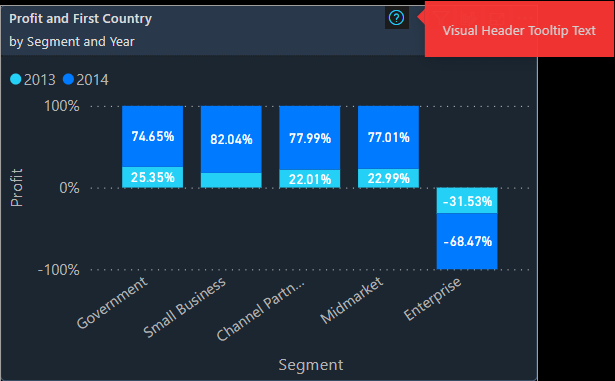
Settings
Note that the
"Help tooltip" needs to be enabled in the visual's formatting pane.
Back to Visual Styles