Accounts
This refers to the organizations that are your customers or potential customers. You’d typically track information about the company such as industry, size, location, and any ongoing projects or deals.
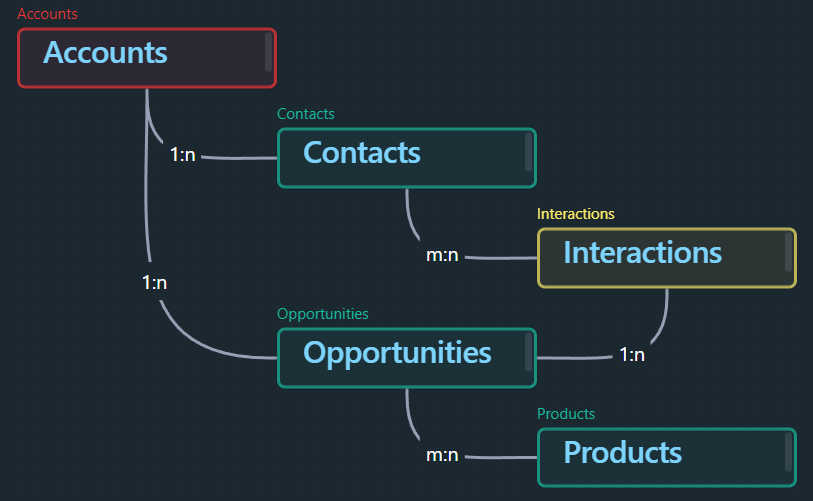
In Obsidian, you can create a note for each company and link it to related notes, such as contacts at the company, opportunities, and interactions. This can help you maintain a holistic view of your relationship with each company.
Relationships
Fields
- accountName (text input)
- Automatically filled via Templater
Accounts
- active (true/false)
- Marks an entry as still active
- Only active entries can be chosen in the respective select fields
- accountType (select single value from list in a lookup note)
90 Organize/Lookups/Account Types- Client
- Partner
- Supplier
- accountIndustry (text input)
- accountSize (select single value from list in a lookup note)
90 Organize/Lookups/Account Sizes
- url (enter a single link)
- accountStreet (text input)
- accountZIPCode (text input)
- accountCity (text input)
- accountCountry (select single value from list in a lookup note)
-90 Organize/Lookups/Countries - icon (used by the Iconizer plugin)
- iconColor (used by the Iconizer plugin)
- aliases
- tags
- CRM
- Account